Vector network analyzers measure a wide variety of devices and networks and offer a wide range of measurements for a variety of usage scenarios, such as spectrum analysis, pulse measurements, power amplifier (PA) characterization, and active device testing.
The following guide describes how to set up network analyzer measurements, calibrate the measurement system, and interpret measurement results:
Performing Measurements with a Vector Network Analyzer
The uses of the VAN are so extensive that each measurement is sufficiently well-described to construct a separate website; however, we will look at how the fundamentals discussed here apply to each measurement.
Step 1: Setting up your measurements
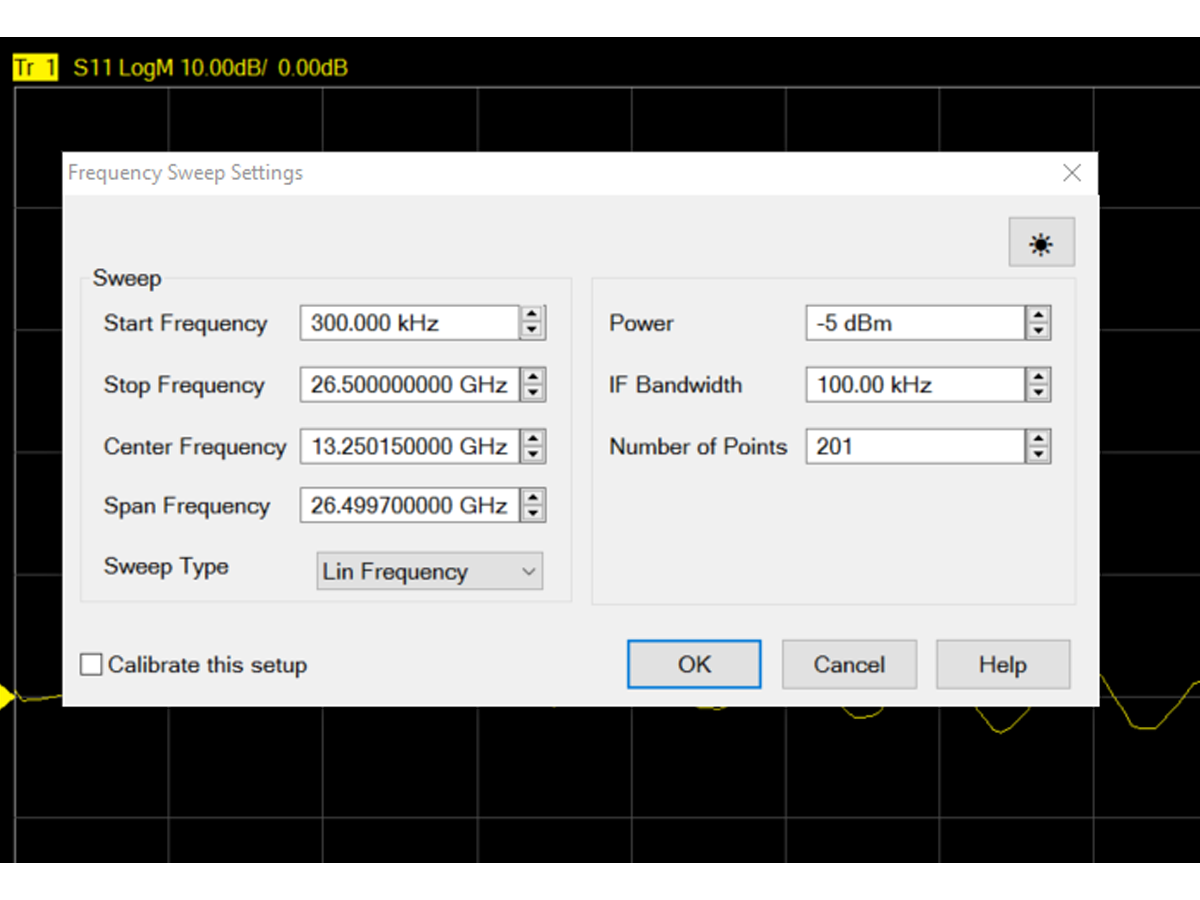
The VNA can perform all types of measurements, but you usually need to set up certain types of sweeps. The main parameters of a sweep are the start and end frequencies, power, and IF bandwidth.
Start frequency and end frequency
These values determine the boundaries of the frequency sweep
Select the value that fully captures the behavior of the device
If you know where the center of the measurement will be, set the center frequency and sweep width accordingly.
power supply
This value determines the power level of the test signal that will be sent to the device under test
For passive devices (e.g., filters), use the maximum source power
For active devices, the power needs to be limited to avoid creating compression on the device under test or the VNA.
Set a relatively high power level in order to improve the signal-to-noise ratio
IF bandwidth
Selection of the required resolution bandwidth based on acceptable measurement speeds
Higher measurement resolution can be achieved by using a smaller IF bandwidth; however, this has the disadvantage of slowing down the measurement speed.
Step 2: Calibration
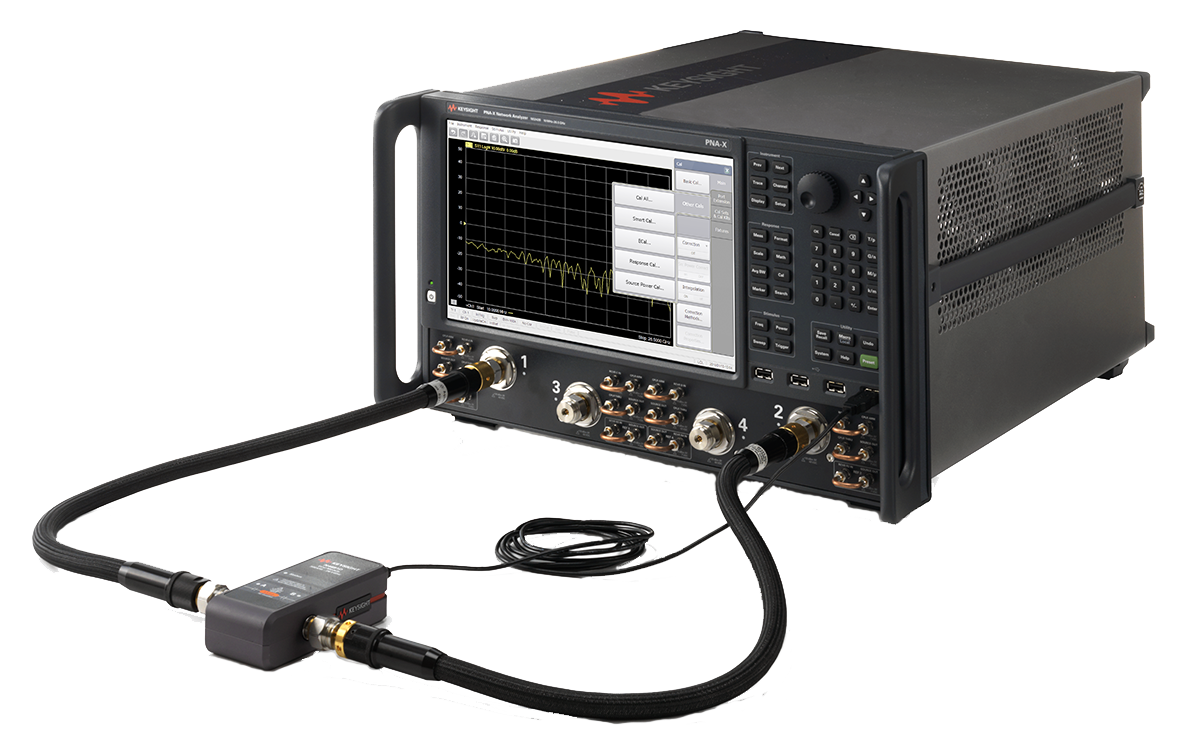
Calibration is a necessary prerequisite for accurate measurements, but first, you need to test your measuring device.
The steps are as follows:
Connect your device and perform uncalibrated measurements.
Adjust the frequency range and IF bandwidth to confirm that you can capture everything you need to see.
Verify that the calibration kit has the same connector type and gender as the device under test.
Connect the calibration kit to your measurement device to perform calibration.
When calibration is complete, everything is ready; you can reconnect the device under test at any time.
If you change the frequency range or IF bandwidth, you will need to recalibrate.
Tips:Use a torque wrench to make the connection in order to secure the contact points between the individual conductors without damaging them. Turn only the nut on the connector; avoid twisting the conductors against each other.
Step 3: Interpreting the results
The VNA has a number of software tools to help you analyze your measurements, such as a 3 dB bandwidth cursor, a time domain analysis function, and more. Choosing the right software and features can make your analysis easier.
Highly integrated network analyzers such as the PNA can be equipped with dozens of applications to perform challenging measurements such as nonlinear measurements and active device characterization.
Vector Network Analyzer Applications
Vector network analyzers are incredibly versatile instruments. Here are some examples of their applications.
spectral analysis
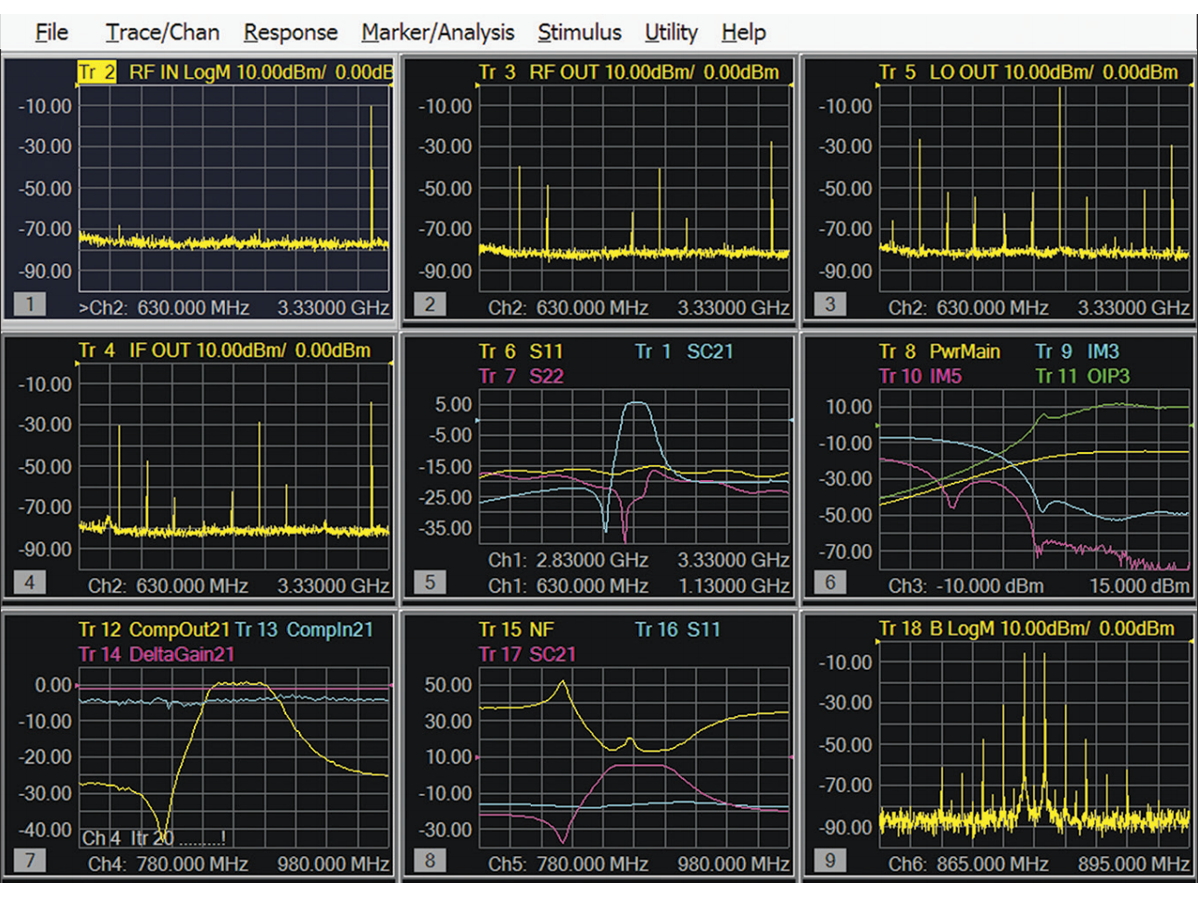
Adding spectrum analysis to a network analyzer can dramatically reduce test time by, for example, speeding up burr searches, eliminating inter-instrument switching, and taking full advantage of the "Single Connection, Multiple Measurements (SCCM)" feature.
The SCCM window contains spectrum analysis and network analysis measurements.
pulse measurement
In standard operation, network analyzers use a continuous wave (CW) signal. This is useful for many applications, and many specific scenarios prioritize pulsed RF signals, for example:
Testing antennas designed for pulsed mode of operation
On-chip measurements that require attention to the heating of continuous wave signals
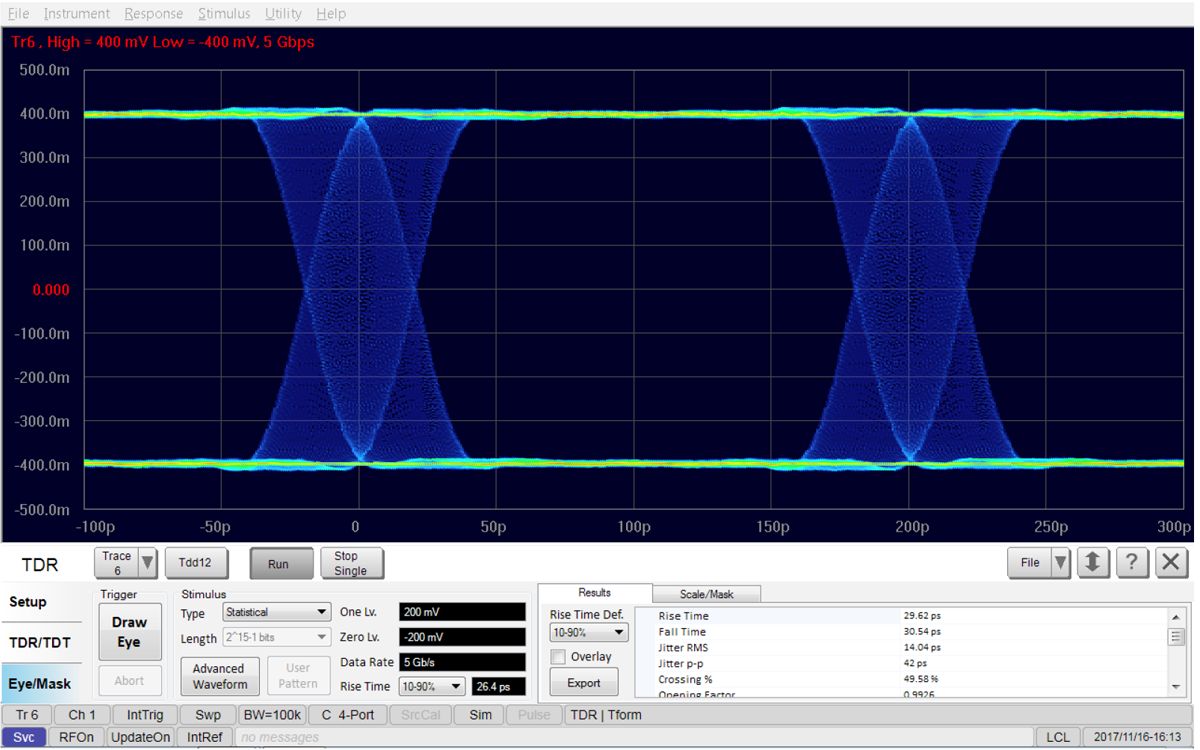
Time Domain Reflectometer (TDR)
Advanced network analyzers such as PNAs can help perform pulse-RF measurements for many applications.
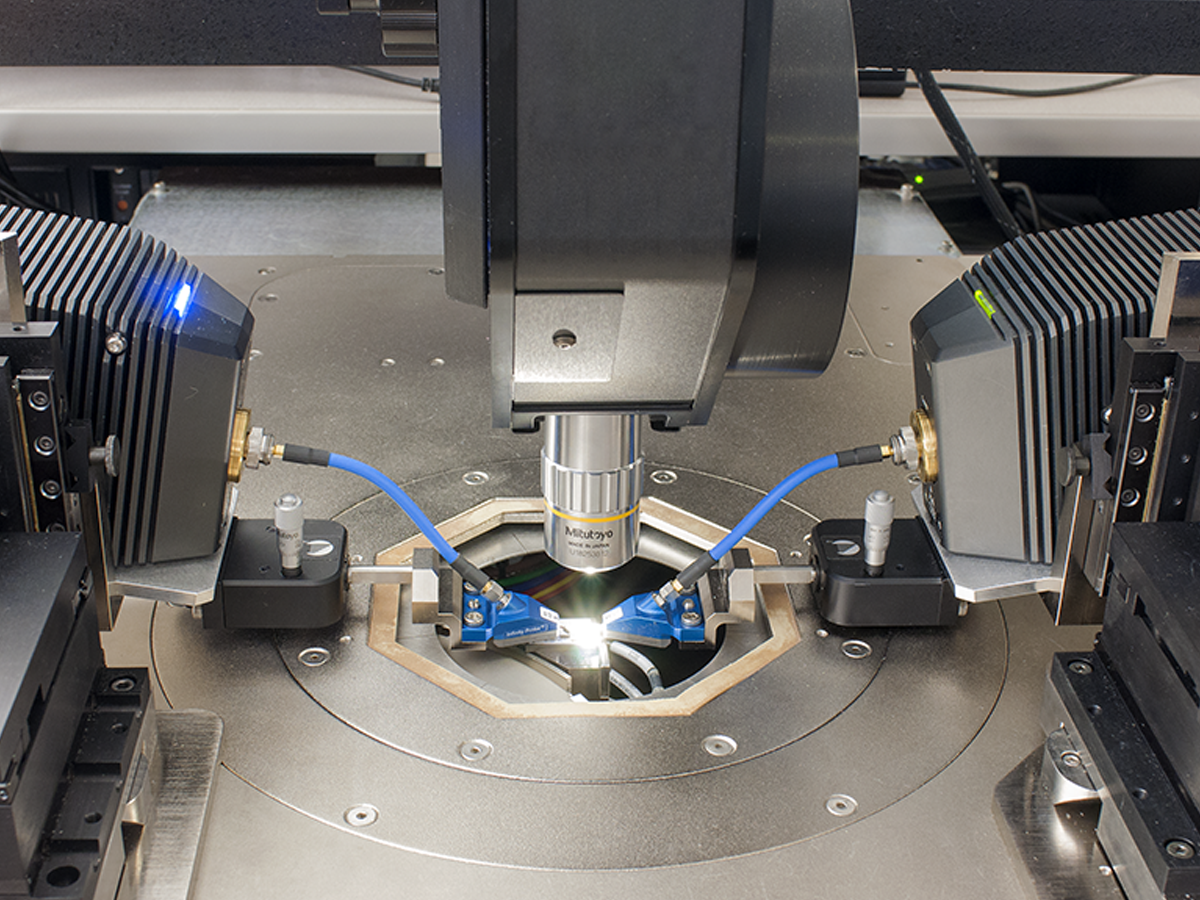
On-chip test set
Active Component Testing
Modern RF systems are filled with active devices such as amplifiers, mixers, and frequency converters. In the past, testing these types of devices usually required an entire rack of equipment. Today, network analyzers are sufficient to characterize active devices with great precision without the need for additional hardware.
By integrating all measurements into a single instrument, a network analyzer can replace a traditional RF system, thereby dramatically reducing test time. With an integrated network analyzer, such as the PNA, you can test:
An oscilloscope is a test instrument used to capture and display a graph of the waveform of an electrical signal over time. For example, it can graph voltage (y-axis) versus time (x-axis) on its display. Oscilloscopes are powerful tools for designing and testing electronic equipment. They play a very important role in determining whether system equipment components are working properly and which components are malfunctioning. They...
Most handheld or benchtop digital multimeters display measurements digitally. The number of digits displayed on the screen usually represents the measurement resolution of the digital multimeter. Resolution is the smallest detail that a digital multimeter can quantitatively determine when making a measurement. Therefore, the more digits a digital multimeter displays, the higher its resolution. Handheld digital multimeters are typically capable of displaying three-and-a-half and four...
There are several ways to test a DC power supply, here we only introduce a few common methods. Conductivity test: You can use the multimeter's conductivity mode to accomplish this test. Touch the positive and negative terminals of the power supply with the multimeter pen. If it is on, the multimeter will beep. This test is designed to determine if the power supply is delivering power and if there are any breaks in the wiring. Voltage...
How to measure frequency? Measurable Devices, Measurement Methods, and Precautions In everyday life, many people say they don't know much about the frequencies of electrical appliances. However, some electrical appliances have specific compatible frequencies, and using electricity at a frequency that is not compatible with the product may lead to malfunctions, fires, and other risks. In addition, in industrial equipment, there are electrical designed to operate at fixed or variable frequencies...
 Comprehensive test and measurement service provider-Shenzhen Weike Electronic Technology Co.


Hello!sign in